

Pull requests: the GitHub App
What it does
Section titled “What it does”Once the Forkstage GitHub App is installed on a repository that has a baked stack:
- A pull request opens (or new commits are pushed to it, or a draft becomes ready).
- Forkstage forks the stack’s newest snapshot, applies the pull request’s diff inside the app service (only the part under the stack’s folder, so monorepos work), restarts the app and waits for it to be healthy.
- It runs the recipe’s tests inside the fork.
- It writes one comment on the pull request: the result, a table of test runs, “Try it” with the fork’s address, and a link to the full proof.
- New pushes replace the fork and edit the same comment. Closing or merging the pull request destroys the fork and notes it on the comment.
The reviewer gets a link, not a checkout. A product manager can open it too.
Install it
Section titled “Install it”- Bake the repository’s stack at least once from your machine (
forkstage bake), so the workspace knows which stack belongs to the repository. - In the dashboard: Settings → GitHub → Install GitHub App. GitHub asks which account and which repositories; choose the repositories you have baked. You land back on Settings with the installation listed under your account.
- Open a pull request. Within about a minute the comment appears.
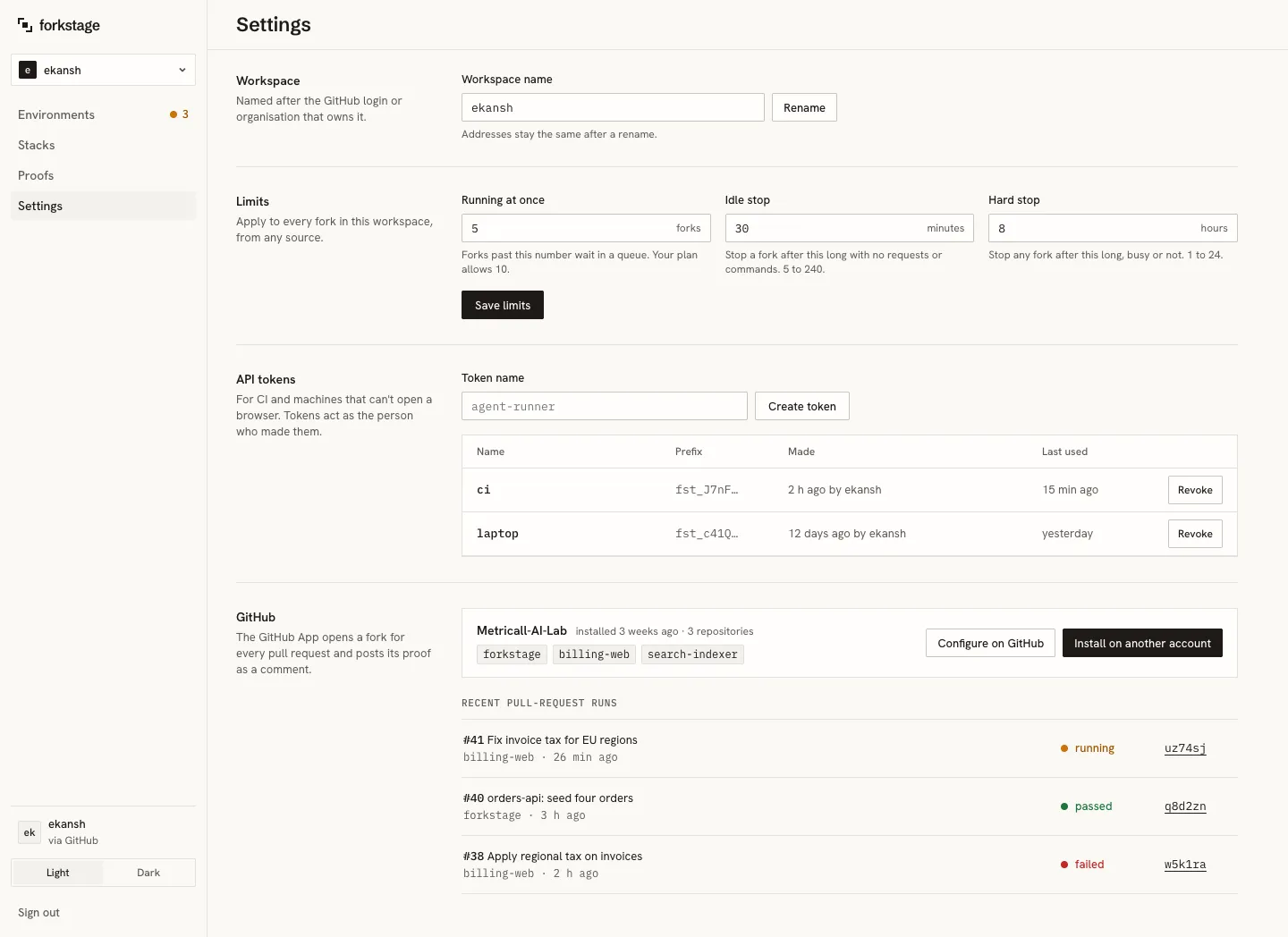
To add repositories later, use Configure on GitHub on the installation, or install on another account.
What the App may do
Section titled “What the App may do”Repository permissions: pull requests (read and write, for the comment), contents (read, for the diff), metadata (read). It receives pull request and installation events. It cannot push, merge, or read anything outside the repositories you chose.
The comment
Section titled “The comment”⌜▪⌝ Forkstage proof · all passed
Ran in a copy of billing-web. 2 test runs passed. 4 commands.
| Test run | Command | Result | Duration ||----------|----------------------|-------------------|----------|| unit | npm test | passed · 24 passed| 3.1 s || e2e | npx playwright test | passed · 12 passed| 17.9 s |
Try it: https://uz74sj.forkstage.run · stops after 30 min idle
Full proof: timeline, commands and output →
fork uz74sj · ready in 131 ms · commit a91c03e · snapshot a91c03e on lat1A failed run changes the heading to “1 failed” and opens with the failing output.
When a pull request gets no comment
Section titled “When a pull request gets no comment”- The repository has no baked stack in a workspace the installation is linked to. Bake once from your machine.
- The stack was baked with an older CLI that did not record its folder (monorepos). Bake again.
- The diff does not apply on top of the newest snapshot (the pull request is far behind
main). Bake again frommain. - The App is not installed on that repository. Settings → GitHub shows the installations and which repositories they cover.
The dashboard’s Settings → GitHub lists recent pull-request runs with their state and the reason for a failure.
Limits
Section titled “Limits”Pull-request forks count toward the workspace’s “running at once” limit and obey the idle and hard stops like any other fork.