

The dashboard and settings
The dashboard is at app.forkstage.com. It shows what the CLI, the agents and the GitHub App have been doing in your workspace; it is a place to glance at several times a day, not to live in.
Environments
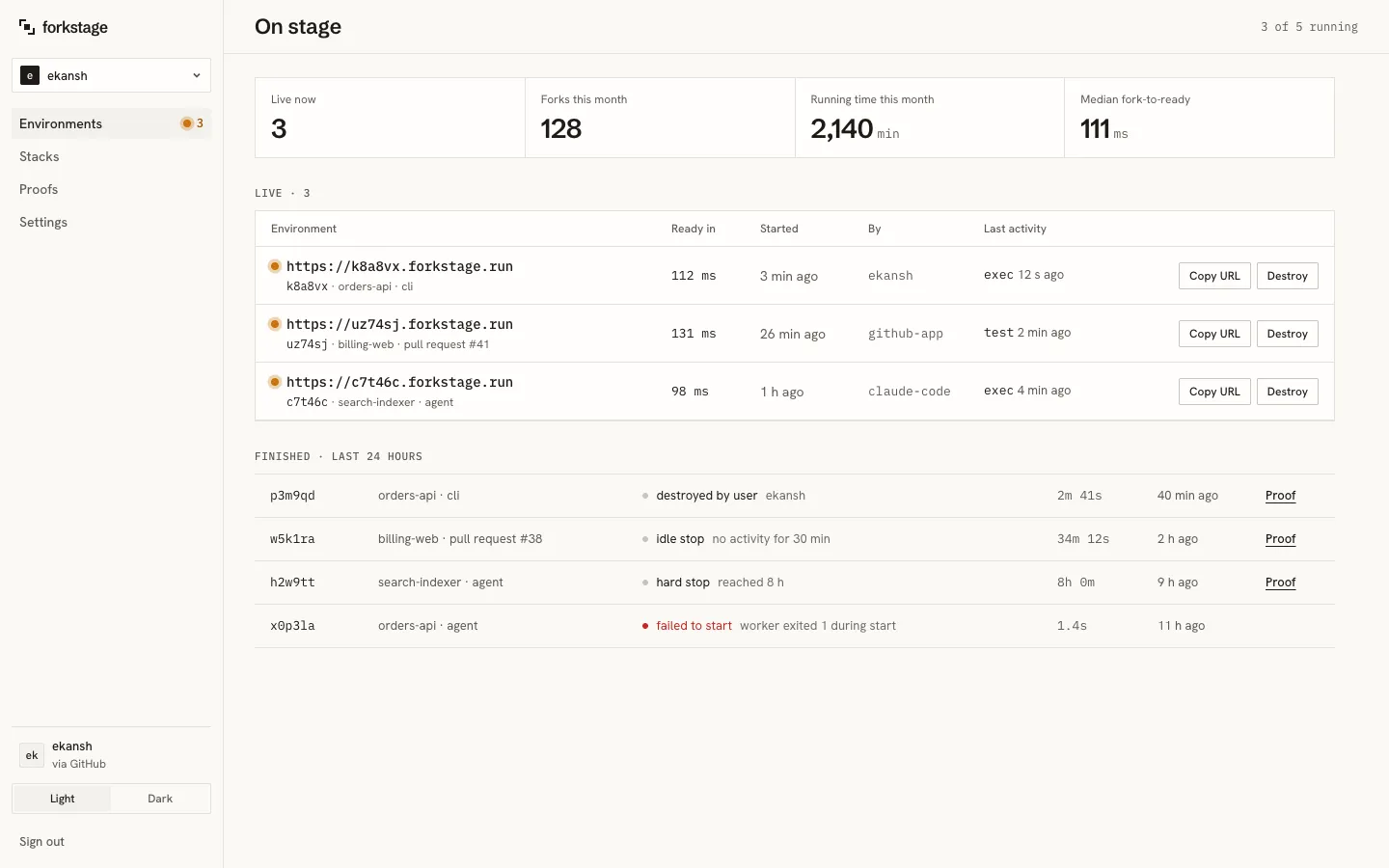
Section titled “Environments”The home screen. Four numbers for the month (live now, forks, running time, median fork-to-ready), the live forks with their addresses, who started them, when, and their last activity, and the finished ones with why each ended: destroyed by user, idle stop, hard stop, failed to start. Copy URL and Destroy on each live fork. Every finished fork links to its proof.
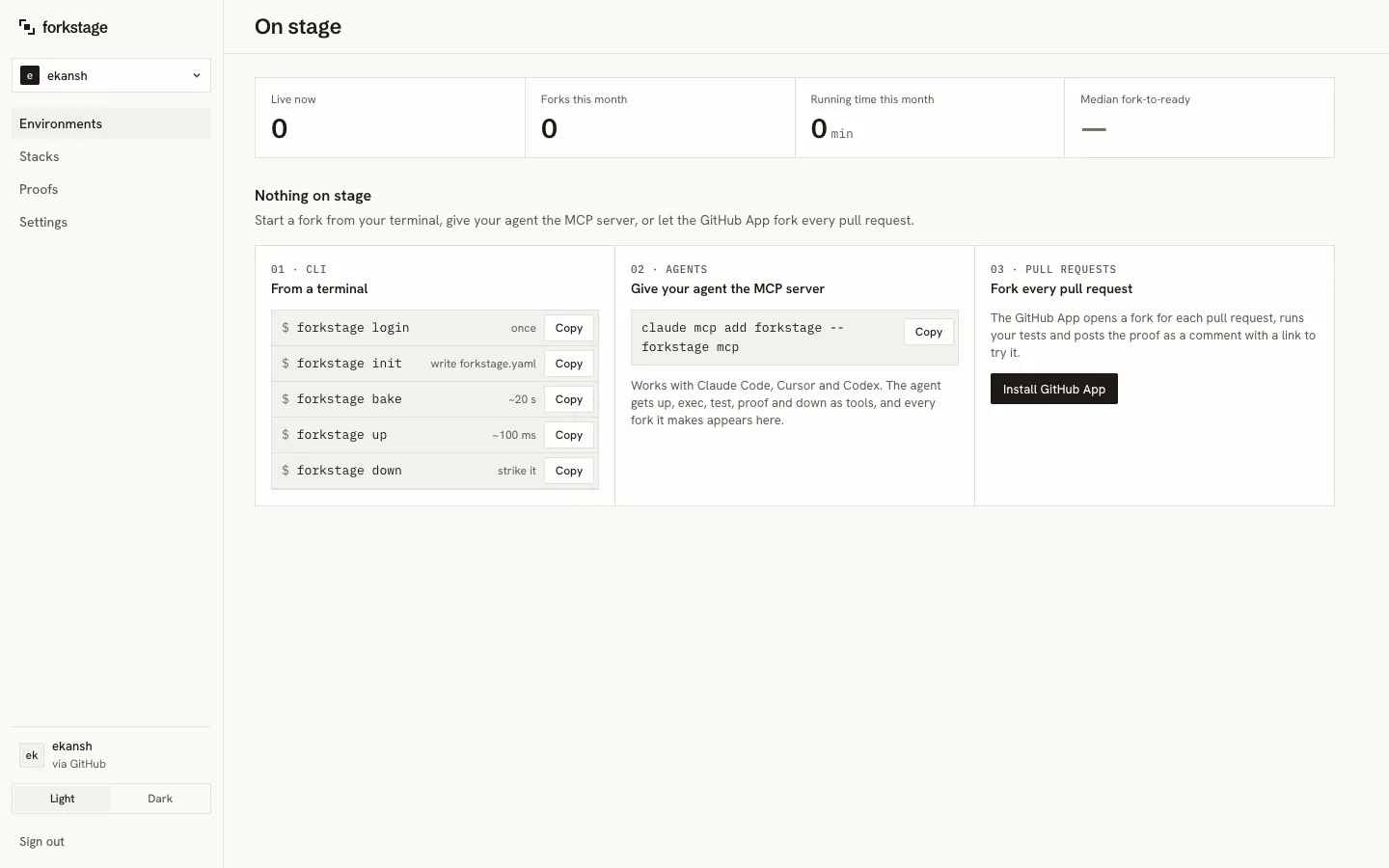
Before the first bake the page shows three doors: the five CLI commands, the MCP one-liner for agents, and the GitHub App.
Stacks
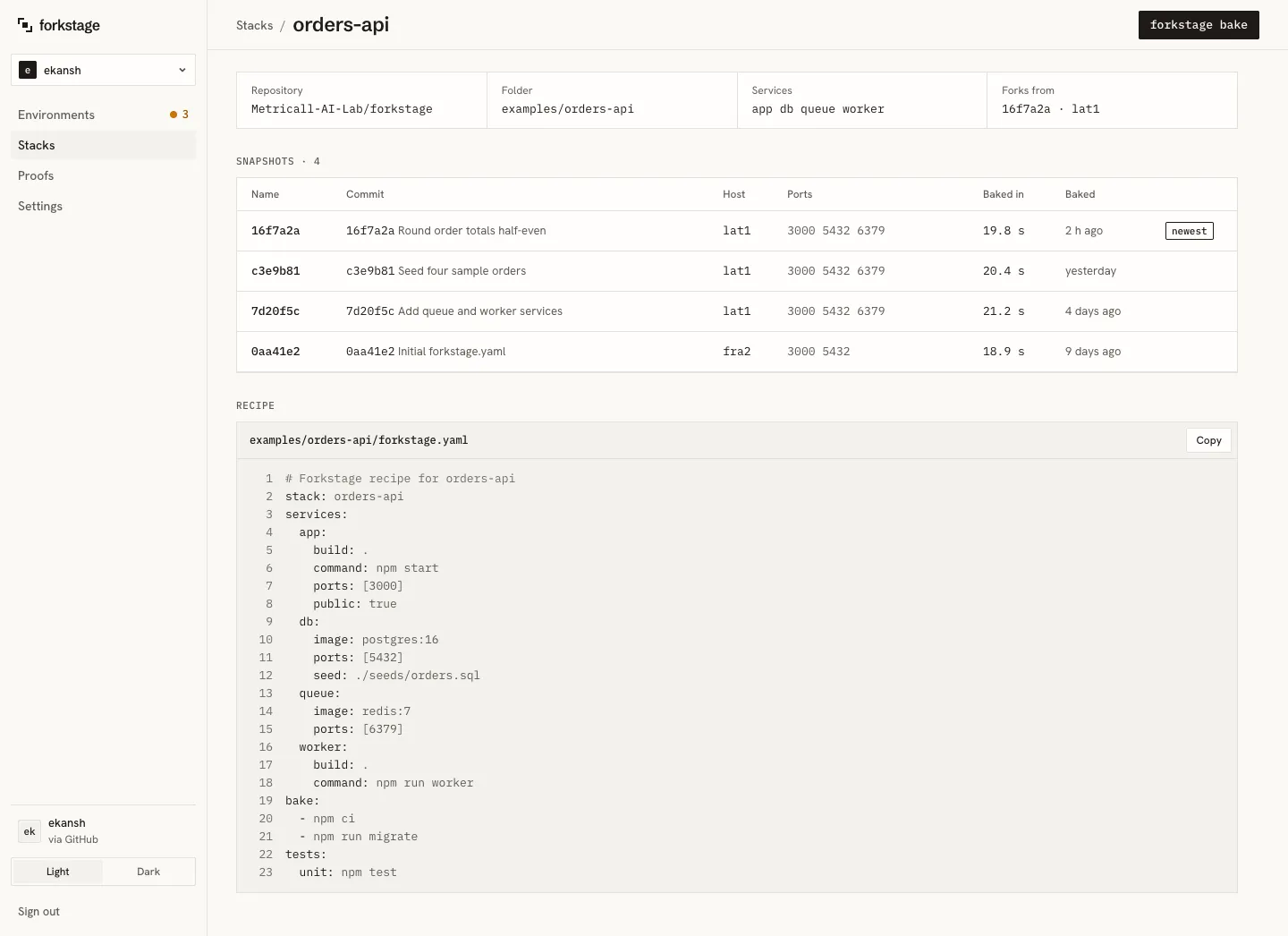
Section titled “Stacks”Each repository’s recipe and its snapshots. The stack page shows the facts (repository, folder, services, which snapshot forks use), the snapshot list, and the recipe as last baked.
Proofs
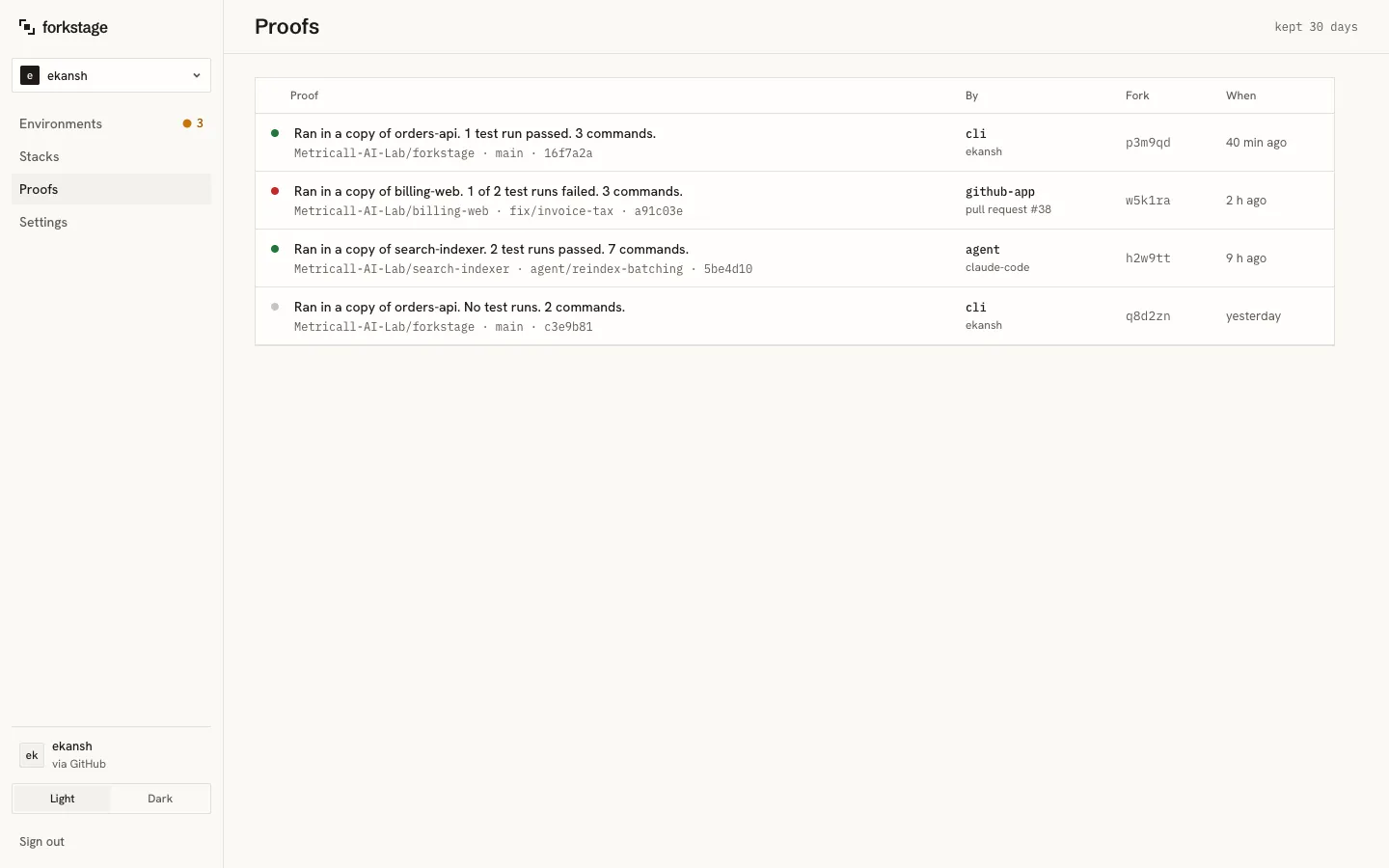
Section titled “Proofs”Every proof in the workspace, newest first, with who or what produced it and the fork it came from. Click one for the full timeline. See Tests and proofs.
Settings
Section titled “Settings”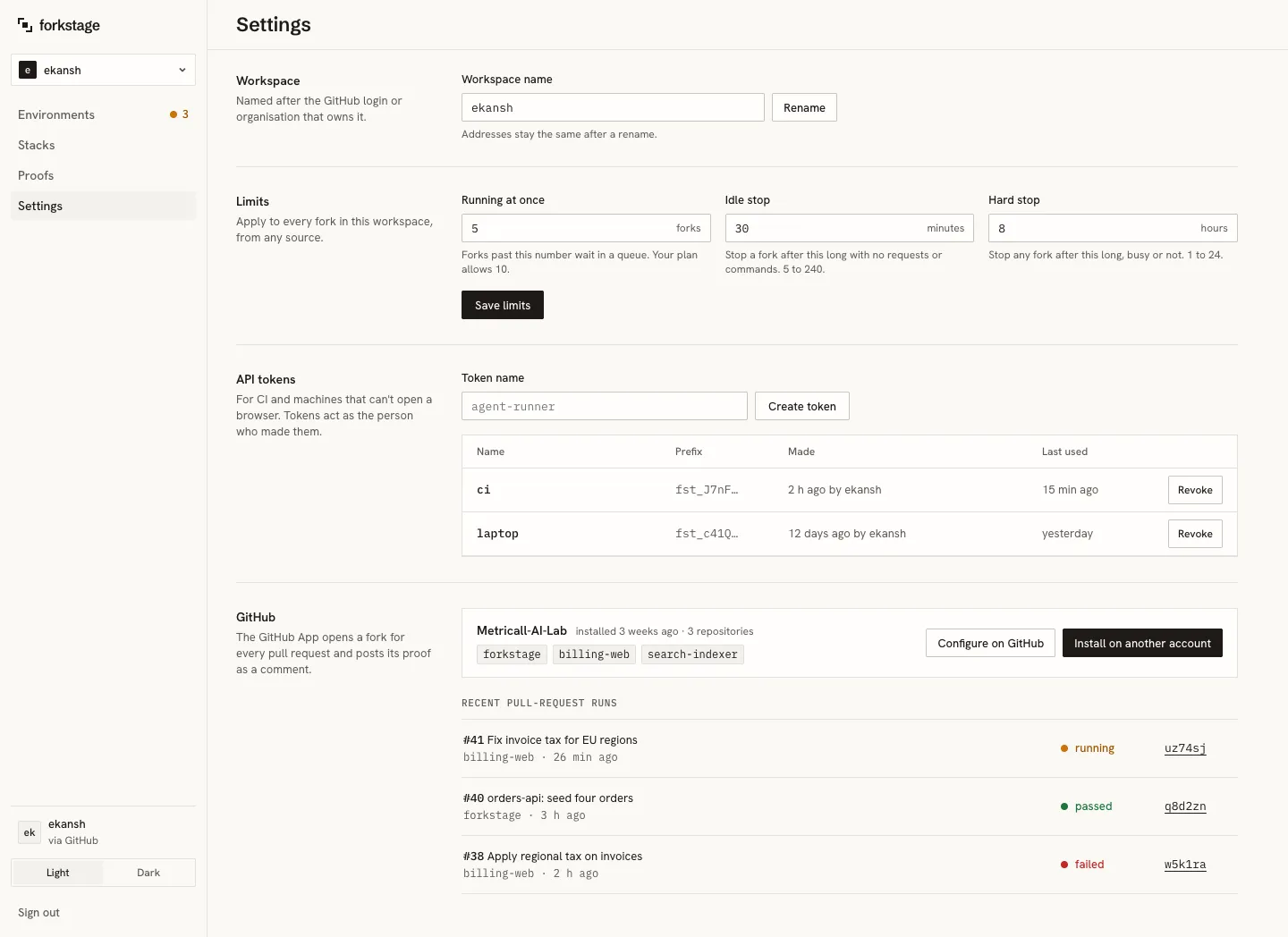
Workspace: the display name. The slug (in every address and command) never changes.
Limits, applied to every fork in the workspace from any source:
| Limit | Default | Range |
|---|---|---|
| Running at once | 5 | 1 to 500 |
| Idle stop | 30 minutes | 5 to 1440 |
| Hard stop | 8 hours | 1 to 168 |
forkstage up refuses past the first with a clear message; the other two end forks by themselves.
API tokens: for CI and machines that cannot open a browser. A token acts for the whole workspace and is shown once when created, with the exact forkstage login --token … line to copy. Revoke from the same list. forkstage login makes one per machine; they appear here too.
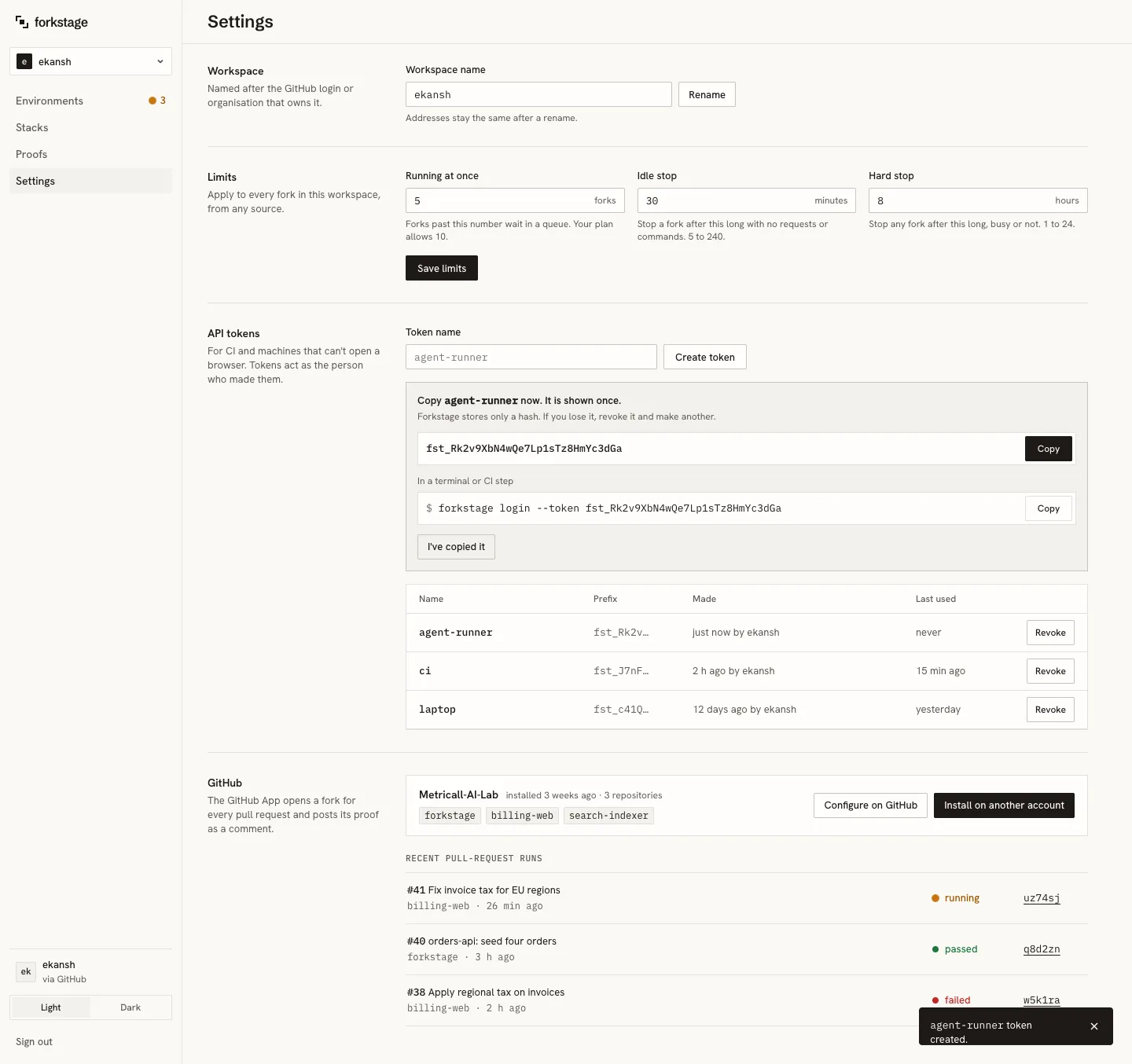
GitHub: the App’s installations linked to this workspace, the repositories each covers, and recent pull-request runs. See the GitHub App.
Workspaces and members
Section titled “Workspaces and members”Your first workspace is named after your GitHub login. A workspace can have admins and members; admins change limits, tokens and GitHub installations. Invitations from the dashboard are coming; until then, ask us to add a teammate.
Themes and phones
Section titled “Themes and phones”Light and dark follow your system, or pin one with the switch at the bottom of the rail. The whole dashboard works at phone width.